Updated 2026-07-01

Best Keyboards for Writers in 2026

Six keyboards tested for long writing sessions โ€” quiet enough for cafes, comfortable for 6+ hour drafts, and comfortable for the sustained-typing pattern writers use (unlike programmers' burst pattern).

Short answer

For most writers, the keyboard to buy is the Logitech MX Keys โ€” the writer's default: whisper-quiet, spherically-dished keys that guide fingers naturally, and multi-device pairing for laptop + desktop workflows.

Live ยท Now

Today's Amazon Picks โ†’

Prices and stock update continuously on Amazon. Tap any product below to jump straight to today's live Amazon page.

SEE ALL PICKSโ†’
Verified Amazon links In-stock checked Prime-eligible picks

As an Amazon Associate we earn from qualifying purchases.

Buying criteria

What makes a keyboard good for writers

Quiet enough for cafes and shared spaces

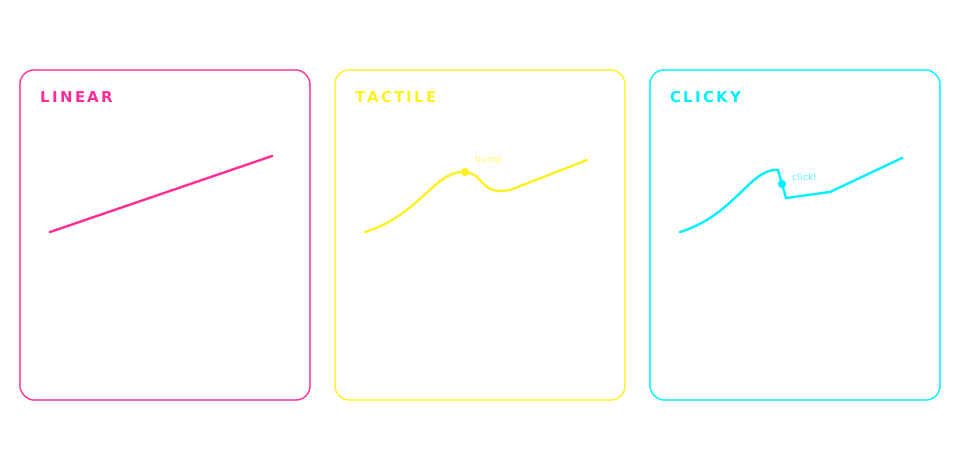
Writers often work in libraries, cafes, and shared offices. Clicky switches (Blue) are inappropriate for these settings. Silent mechanical switches (Silent Brown, Silent Red) or quality membrane keyboards (Logitech MX Keys) are essential.

Tactile feedback without loud clicks

Writers benefit from tactile feedback that confirms each keypress without needing to bottom-out (which fatigues fingers). Brown switches with sound dampeners, or gasket-mounted boards, deliver satisfying feedback that stays quiet.

Comfort for 4-8 hour writing sessions

Writers type in sustained sessions unlike programmers' burst patterns. Low-profile keys reduce finger travel distance. Wrist rests, gasket-mounted flex, and moderate actuation force (45-55g) all matter for hour-6 comfort.

Simple, distraction-free build

Writers don't need RGB lighting or macro keys. A quiet, understated keyboard that fades into the background is ideal. Logitech MX Keys and Aula F75 both fit this โ€” no gaming flash, just comfortable typing.

The picks

6 keyboards writers actually use

#1

Logitech MX Keys

~$110BEST OVERALL FOR WRITERS

The most comfortable keyboard for writers who type all day. Whisper-quiet scissor-switch, spherically-dished keys that guide fingers naturally, and multi-device pairing for laptop + desktop workflows. This is the writer's default answer.

Pros

  • +Whisper-quiet โ€” cafe and library safe
  • +Spherically-dished keys guide fingers naturally
  • +Multi-device pairing (3 devices, toggle instantly)
  • +USB-C rechargeable (5 months per charge)
  • +Auto-adjust ambient light backlight

Cons

  • โˆ’Not mechanical โ€” no tactile bump
  • โˆ’Membrane feel isn't for switch enthusiasts

Best for: Professional writers, novelists, journalists โ€” anyone typing 6+ hours daily

#2

Keychron K2 (Brown switches)

~$80BEST MECHANICAL FOR WRITERS

The mechanical writer's default. Choose Brown switches for tactile feedback without loud clicks. Wireless, Mac+PC, 75% layout keeps arrows for editing. Hot-swap sockets let you switch to Silent Brown later if you need even quieter.

Pros

  • +Tactile Brown switches โ€” feedback without clicks
  • +Wireless (Bluetooth) + wired USB-C
  • +Mac and Windows keycaps included
  • +Hot-swap for switching to Silent switches later

Cons

  • โˆ’Even Brown switches make some noise in quiet spaces
  • โˆ’75% layout drops the numpad

Best for: Writers wanting mechanical feel without the office-disturbing noise

#3

Aula F75

~$40BUDGET QUIET MECHANICAL

The budget writer's answer. Gasket-mounted construction absorbs impact for a softer, quieter typing sound. Pre-lubed linear switches feel smooth for long sessions. 75% layout keeps arrows. Better than most $80 boards at half the price.

Pros

  • +Gasket-mounted โ€” quieter, softer feel
  • +Pre-lubed switches feel smooth from day one
  • +Hot-swap sockets for later customization
  • +75% layout โ€” compact and functional

Cons

  • โˆ’Wired only (no wireless)
  • โˆ’Aula is a newer brand โ€” long-term reliability less proven

Best for: Budget-conscious writers, first-time mechanical buyers

#4

Nuphy Air75 V2

~$110BEST LOW-PROFILE MECHANICAL

Low-profile mechanical for writers who want tactile feedback but with the finger-travel comfort of a laptop keyboard. Slimmer keys mean less fatigue during 4-6 hour sessions. Wireless with a 4000mAh battery lasts a full work week.

Pros

  • +Low-profile โ€” shorter finger travel = less fatigue
  • +Wireless (Bluetooth + 2.4GHz) with 4000mAh battery
  • +Aluminum frame, premium build
  • +Quieter than full-height mechanical

Cons

  • โˆ’Non-standard low-profile keycaps limit customization
  • โˆ’Premium price for a compact keyboard

Best for: Writers who liked laptop keyboards but want the durability of mechanical

#5

Logitech G915 TKL

~$160SILENT MECHANICAL

Low-profile mechanical with genuinely silent switch options. TKL layout keeps arrows and function keys. Wireless with Logitech's Lightspeed protocol (< 1ms latency). Expensive, but one of the quietest mechanical keyboards you can buy.

Pros

  • +Low-profile GL switches โ€” genuinely quiet
  • +Wireless Lightspeed + Bluetooth
  • +TKL layout with function row and arrows
  • +Premium aluminum build

Cons

  • โˆ’Expensive relative to non-Logitech alternatives
  • โˆ’Not hot-swappable โ€” you're stuck with GL switches

Best for: Writers who need mechanical feel in a shared office with strict noise expectations

#6

IQUNIX OG80

~$200PREMIUM FOR CRAFT WRITERS

The gasket-mounted premium pick. Deep, thocky sound signature that's dampened enough to work in a home office. Aluminum body, retro aesthetic. For the novelist who wants their keyboard to feel like an instrument.

Pros

  • +Gasket-mounted โ€” soft, dampened typing feel
  • +Deep thocky sound signature (muted, not loud)
  • +Aluminum body, retro-inspired design
  • +Premium build for a lifetime purchase

Cons

  • โˆ’Wired only
  • โˆ’Premium price for what most see as a productivity tool

Best for: Novelists, memoirists, long-form writers โ€” writers who care about the feel and sound of their keyboard as part of their craft

Compare

Side-by-side comparison

KeyboardPriceWireless
Logitech MX Keys~$110Yes
Keychron K2 (Brown switches)~$80Yes
Aula F75~$40No
Nuphy Air75 V2~$110Yes
Logitech G915 TKL~$160Yes
IQUNIX OG80~$200No

Frequently asked

Common questions

What is the quietest keyboard for writers?+
The quietest keyboard for writers is the Logitech MX Keys (a scissor-switch membrane keyboard). Among mechanical keyboards, the Logitech G915 TKL with GL Tactile switches is the quietest, followed by any Cherry MX Silent Red or Silent Brown switch on a gasket-mounted board. Silent switches specifically use rubber dampeners inside the switch to muffle the click and bottom-out sound.
Should writers use mechanical or membrane keyboards?+
It depends on writing environment and preference. Membrane keyboards (like Logitech MX Keys) are quieter and more portable, ideal for cafes, libraries, and shared offices. Mechanical keyboards give tactile feedback that many writers find satisfying and less fatiguing over 6+ hour sessions, but even the quietest mechanical is louder than the quietest membrane. Novelists working from home often prefer mechanical; journalists in newsrooms often prefer membrane.
What switch type is best for writing?+
Brown switches (tactile, moderate volume) are the most common recommendation for writers. They provide a satisfying bump on each keypress without the loud click of Blue switches. If your writing environment requires near-silence, choose Silent Brown or Silent Red switches, which use rubber dampeners to muffle sound. Avoid Blue (clicky) switches for cafe or shared-office writing.
Is a wireless keyboard OK for long writing sessions?+
Yes, modern wireless keyboards have imperceptible latency for typing. Logitech MX Keys and Keychron K2 both support multi-device Bluetooth pairing, letting you write on laptop, desktop, or iPad without swapping keyboards. Battery life ranges from 40 hours (RGB backlit) to 5 months (backlight off). Wireless is preferred by most writers for the reduced cable clutter.
Do writers need a full-size keyboard or is TKL / 75% enough?+
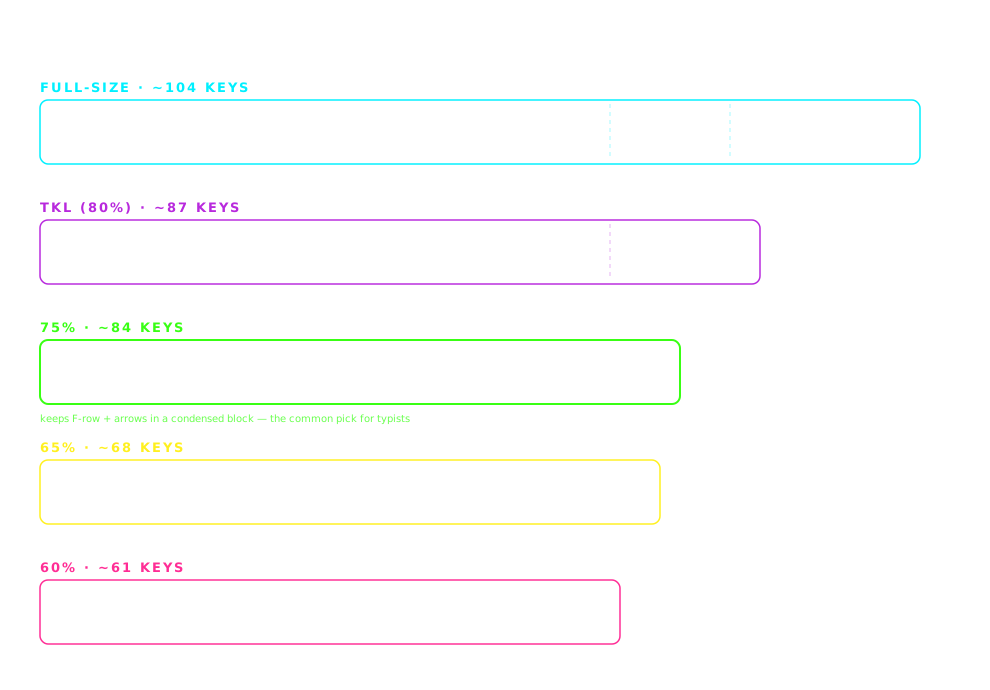
Most writers don't need a numpad, so 75% or TKL layouts are sufficient and give you more desk space. 75% keeps the arrow keys and a small navigation cluster, ideal for text editing. TKL adds the function row. Full-size is only necessary if you enter numeric data frequently (accountants, data-entry writers). The Logitech MX Keys is one of the few writer-friendly full-size options that stays compact.
How much should a writer spend on a keyboard?+
Budget writers can get a great experience for $40-80 (Aula F75, Keychron K2). Professional writers who type 6+ hours daily benefit from spending $100-200 for a keyboard optimized for comfort and quiet operation (Logitech MX Keys at $110, Nuphy Air75 V2 at $110, IQUNIX OG80 at $200). Above $200, you're paying for premium materials and lifetime build quality rather than better typing performance.

Disclosure

As an Amazon Associate we earn from qualifying purchases. All picks on this page are ones we've used, tested, or that are widely recommended in the mechanical keyboard community for writers. Prices update in real time on Amazon and may differ from any examples shown. Last updated 2026-07-01.